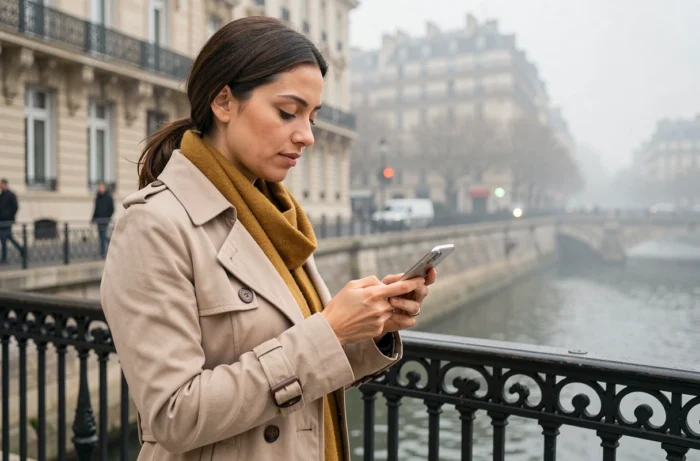
For the agents of the City of Paris and the CASVP, accessing their professional tools outside the office requires going through a portal that is distinct from the standard IntraParis account. Nomades.apps.paris.fr consolidates messaging, business applications, and HR documents behind a layer of enhanced authentication. Understanding what separates the standard account from nomadic access, and mastering the technical prerequisites, saves considerable time on a daily basis.
Nomadic Access Intraparis: A Right Separate from the Agent Account
The most common confusion concerns the very nature of access. Having a SOI number and a professional @paris.fr email address does not automatically grant access to nomadic applications. Nomadic access requires a separate request, validated by the IT correspondent of each department.
This procedure involves a variable activation time, independent of the creation of the IntraParis account. A newly arrived agent can therefore consult the intranet from their fixed workstation while remaining blocked on nomades.apps.paris.fr for several days.
For those who wish to delve deeper into the use of nomadic applications with Intraparis in Paris, the first step is to check with their IT correspondent that the nomadic right is indeed active on their profile.
| Criterion | Standard IntraParis Account | Nomadic Access (nomades.apps.paris.fr) |
|---|---|---|
| Creation | Automatic upon starting the position | Separate request to the IT correspondent |
| Authentication | Password only (internal network) | Two-factor (password + SMS code or authentication app) |
| Scope | Intranet, messaging on fixed workstation | Messaging, HR, documents from any connected device |
| Connection outside city hall network | No | Yes (personal Wi-Fi, 4G/5G) |
| Recommended Browsers | All (internal network) | Edge or Chrome preferred |
Two-Factor Authentication on the Nomadic Platform
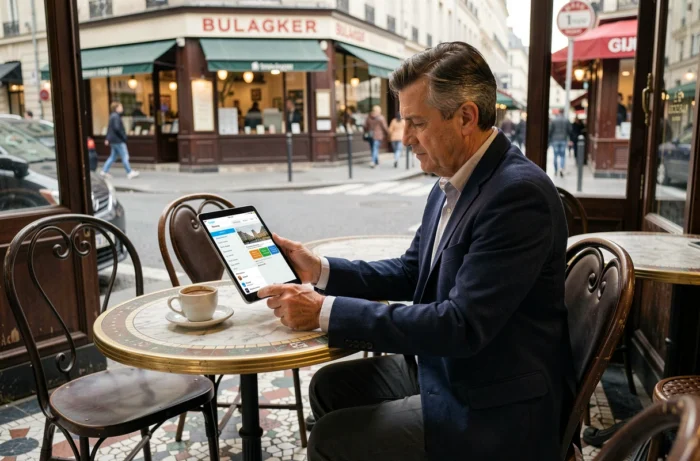
Since 2024, the City of Paris has deployed a targeted two-factor authentication for agents accessing IntraParis from outside. The principle: after entering the usual password, a temporary code is sent via SMS or generated by an authentication app installed on the agent’s phone.
This additional layer addresses the risks associated with connections on uncontrolled networks (public Wi-Fi, personal routers). It requires that the phone number associated with the account is up to date. An unreported line change blocks the receipt of the code and, consequently, any nomadic connection.
Update Contact Information Before First Remote Access
Before attempting a connection from a personal device, three checks are necessary:
- The mobile number recorded in the agent’s profile corresponds to the active line. A modification is done through the IT correspondent or, depending on the departments, directly in the IntraParis HR space.
- The authentication app (such as Microsoft Authenticator or an equivalent validated by the DSI) is installed and configured on the phone used daily.
- The password for the IntraParis account is not expired. An expired password prevents the triggering of the second factor, which generates a vague error message.
These checks take a few minutes but prevent the need to call support on a Monday morning while working remotely.
Messaging and HR Services from a Smartphone or Tablet
The portal nomades.apps.paris.fr provides access to professional messaging via Outlook Web. The interface works in the mobile browser without the need to install a dedicated email client. Edge and Chrome offer the best compatibility with the CAS authentication system used by the City.
The HR services accessible on the go include viewing pay slips, tracking leave, and training requests. These features, previously reserved for fixed positions, allow mobile agents to manage their administrative situation without having to return to their assigned site.
Concrete Limitations of the Mobile Version
Not all internal applications are suited for a small screen. Heavy business management tools (construction tracking software, large document databases) remain more functional on a laptop connected to the nomadic portal. Messaging and HR services, however, work smoothly on smartphones.
The synchronization of push notifications depends on the permissions granted to the Nomades app or the browser. Enabling notifications and MFA synchronization during the initial setup prevents missing an urgent message while on the move.

Quick Troubleshooting for Nomadic Connection Issues
The most common access problems do not stem from a portal outage. They arise from three recurring causes that the agent can resolve alone before contacting support.
- Expired password: resetting can be done via the “Forgot Password” link on vdp-gestionidentitenumerique.apps.paris.fr. A new password becomes active within a few minutes.
- Incompatible browser or full cache: testing another browser (switching from Safari to Chrome, for example) or clearing the cache resolves most display errors on the login page.
- Account blocked after failed attempts: contacting support with your username and a screenshot of the error message speeds up ticket processing.
A useful reflex: test the nomadic connection from home before the first actual teleworking day. Identifying a blockage in calm conditions is better than discovering it with a video meeting in ten minutes.
Nomadic access IntraParis relies on a short technical chain (active right, valid password, configured second factor), but each link must be checked in advance. The separate nomadic access request remains the starting point that many agents discover too late.